



Final Checklist: Are You Ready to Launch Your Website?
Launching a website is like launching a rocket; you need a thorough pre-flight check to ensure a smooth journey and a successful mission. This final checklist is your mission control, guiding you through every critical step before you introduce your site to the world. Following this guide will help you avoid common pitfalls and ensure your website starts strong, delivering a professional and seamless experience from day one.
1. Hosting, Domain, and Technical Setup
Your hosting is the bedrock of your website. A poor foundation will undermine even the most beautiful design and compelling content. Before you do anything else, double-check your technical infrastructure.
Hosting Configuration Review
Is your hosting plan adequate for your expected traffic? For a new small business, a high-quality shared hosting plan might be enough, but if you anticipate rapid growth or have an e-commerce site, a VPS or managed hosting solution is a better long-term choice.
- Shared Hosting (e.g., Bluehost, SiteGround): This is the most affordable hosting option, perfect for blogs, portfolios, and small business brochure sites. However, resources are shared, which can sometimes impact site speed if another site on the server gets a traffic spike.
- VPS Hosting (e.g., DigitalOcean, Linode): A Virtual Private Server gives you a dedicated slice of a server's resources. It offers more power and control than shared hosting and is a great step up for growing businesses. It requires more technical know-how to manage.
- Managed Hosting (e.g., Kinsta, WP Engine): This is often the best hosting for small business owners who value performance and time. These providers handle all the technical optimizations, security, and updates for you, delivering incredibly fast website hosting out of the box. While pricier, the investment pays off in performance and peace of mind.

Technical Pre-Flight Checklist:
- Domain & DNS: Ensure your domain's DNS records are pointing to your new host's servers. DNS propagation can take up to 48 hours, so it's wise to do this ahead of your official launch announcement.
- SSL Certificate: Verify that your SSL certificate is installed and that your site correctly forces HTTPS on all pages. A secure site is non-negotiable for user trust and SEO.
- Email Accounts: Have you set up your professional email addresses (e.g., [email protected])? Test that you can send and receive emails.
- Contact Forms: Test every single form on your website. Do they submit correctly? Do the notifications go to the right email address? Is there a confirmation message for the user?
2. Performance and Speed Optimization
In today's fast-paced digital world, site speed is not a feature; it's a requirement. Slow-loading websites frustrate users and are penalized by search engines like Google. Your goal should be a load time of under 3 seconds.
Speed Audit Checklist:
- Run a Speed Test: Use tools like Google PageSpeed Insights, GTmetrix, and Pingdom to analyze your site's performance. These tools will provide a detailed report with actionable recommendations.
- Image Optimization: Are your images compressed? Large image files are the number one cause of slow websites. Use a tool like TinyPNG or an image optimization plugin to compress images without sacrificing quality. Serve images in next-gen formats like WebP where possible.
- Enable Caching: Caching stores a static version of your site, which can be served to visitors much faster than generating it from scratch every time. Ensure you have browser caching and server-side caching enabled. For WordPress, plugins like WP Rocket or W3 Total Cache are excellent.
- Minify Code: Minification removes unnecessary characters (like spaces and comments) from your HTML, CSS, and JavaScript files, reducing their size. Most caching plugins can handle this for you.
- Use a Content Delivery Network (CDN): A CDN like Cloudflare stores copies of your site's assets on servers around the world. When a user visits your site, the content is delivered from the server closest to them, dramatically reducing latency and improving load times for a global audience.
3. Content, SEO, and User Experience (UX)
Your technical setup can be perfect, but if your content is full of errors or your site is difficult to navigate, visitors will leave. This section is about polishing the user-facing elements of your site.
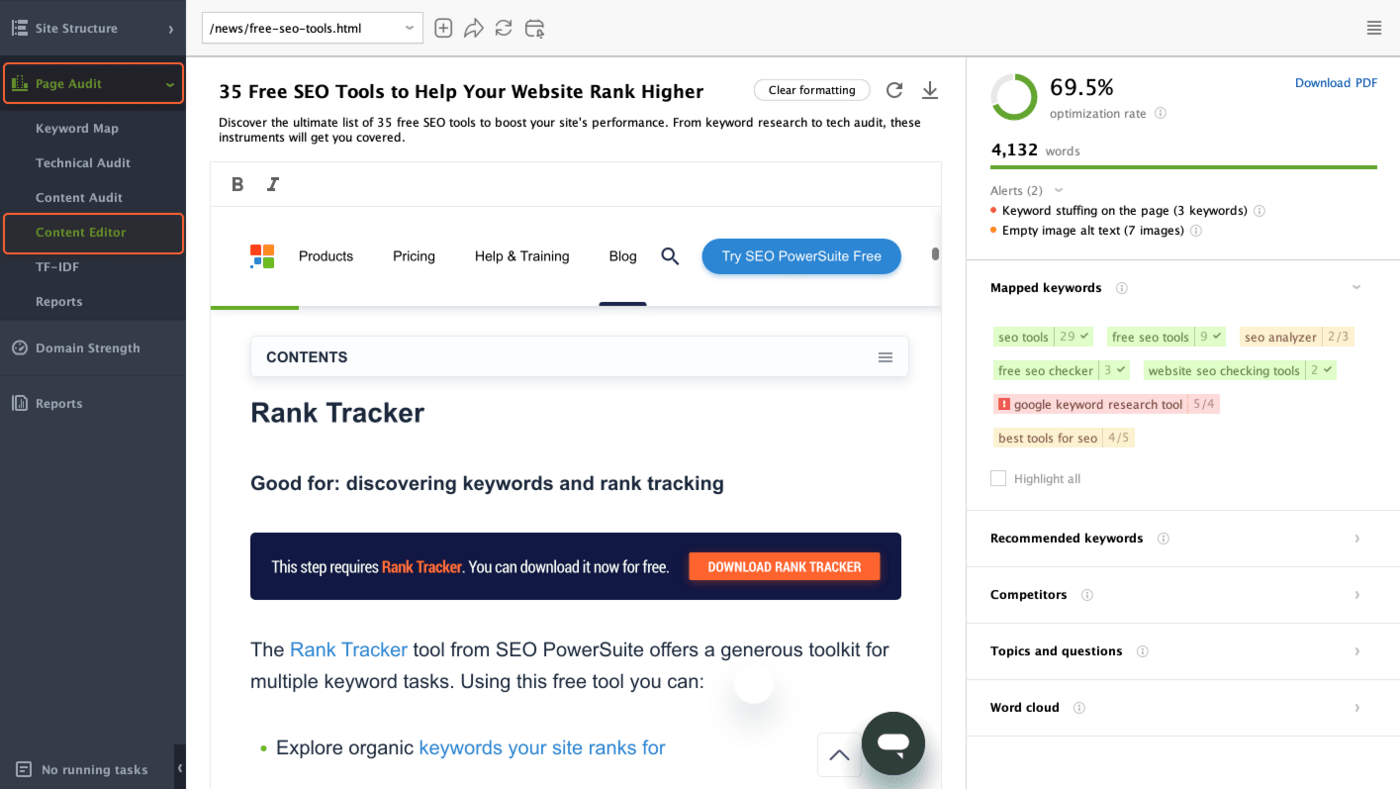
Content & SEO Checklist:
- Proofread Everything: Read every single page, post, and product description. Check for spelling mistakes, grammatical errors, and awkward phrasing. Use a tool like Grammarly, but also have a human read it. A single typo on a homepage can damage credibility.
- Check for Broken Links: Use a tool like Screaming Frog or an online broken link checker to crawl your site and find any 404 errors. Check all internal links, external links, and links in your navigation menus and footers.
- On-Page SEO Basics: Ensure every page has a unique and descriptive title tag and meta description. Check that your images have descriptive alt text. Verify a logical heading structure (one H1 per page, followed by H2s, H3s, etc.).
- Favicon and Branding: Is your favicon (the little icon in the browser tab) uploaded and displaying correctly? Are your logos and brand colors consistent across the site?
- Custom 404 Page: Don't rely on a generic server 404 error page. Create a custom, helpful 404 page that guides lost visitors back to your homepage or other important pages.
- Legal Pages: Make sure you have your Privacy Policy, Terms of Service, and any other necessary disclaimers clearly accessible, usually in the footer.

Functionality & UX Checklist:
- Cross-Browser & Device Testing: Your site might look perfect in Chrome on your desktop, but what about Safari on an iPhone or Firefox on a tablet? Test your site thoroughly on different browsers (Chrome, Firefox, Safari, Edge) and screen sizes (desktop, tablet, mobile) to ensure a consistent and functional responsive experience.
- Navigation: Is your main menu intuitive? Can users easily find what they're looking for? Click through every link in your header, footer, and sidebar.
- Readability: Is your font size large enough? Is there enough contrast between your text and background colors?

4. Backups, Security, and Post-Launch Monitoring
The final step before launch is to set up your safety net. Things can and do go wrong, and being prepared is the difference between a minor hiccup and a major disaster.

Final Safety Checklist:
- Backups: Confirm that your hosting provider's automated backups are running. More importantly, perform a full manual backup of your website's files and database right before you go live. Know the process for restoring a backup if needed.
- Security: Install a basic security plugin (like Wordfence or Sucuri for WordPress). Use strong, unique passwords for all admin accounts. Change the default 'admin' username.
- Analytics and Tracking: Install Google Analytics (or a privacy-friendly alternative) to track your traffic and user behavior from day one.
- Google Search Console: Set up your site with Google Search Console. This is essential for monitoring your site's SEO health, submitting your sitemap, and understanding how Google sees your site.
- Uptime Monitoring: Set up a free service like UptimeRobot to monitor your website. It will send you an alert immediately if your site goes down, allowing you to respond quickly.
With this comprehensive checklist complete, you're not just launching a website; you're launching a well-oiled, professional, and resilient online presence. You've done the hard work and covered your bases. Now, you can hit that 'go live' button with confidence. Your audience is waiting!
RELATED ARTICLES

Influencer Marketing: Partnering with Influencers to Boost Your Brand

Best Hosting for Agencies: Managing Multiple Client Websites

Understanding Merge in Version Control: Combining Code Changes Effectively

Website Backup and Recovery: The Ultimate Guide to Protecting Your Data

The Future of Web Hosting in 2026 and Beyond

The Ultimate Glossary of Web Hosting Terms

Best Hosting for a Scalable Startup
What to Do When Your Hosting Provider Has an Outage