


The Best Website Staging Environments for WordPress
That safety net is called a staging environment, and it's one of the most powerful tools in a modern webmaster's arsenal. A staging site is an exact, private clone of your live website, allowing you to test updates, install new plugins, tweak code, or redesign a page without affecting your public-facing site. For any serious website owner, developer, or small online business, using a staging environment is the difference between amateur guesswork and professional, risk-free development.
What Exactly is a Staging Environment?
Imagine you have two identical houses. One is your home where you live, entertain guests, and conduct your daily life (your live site). The other is an identical, private workshop next door where you can knock down walls, test new paint colors, and rewire the electricity without disturbing anyone in the main house (your staging site). Once you're happy with the renovations in the workshop, you can magically apply those same perfect changes to your main home in an instant.

In technical terms, a staging site is a copy of your website's files and database running on a separate, non-public server or subdomain. It provides a perfect sandbox to:
- Safely Test Updates: Update WordPress core, themes, and plugins without the fear of compatibility issues breaking your live site.
- Develop New Features: Build and refine new functionalities, from simple contact forms to complex e-commerce features, in an isolated environment.
- Troubleshoot Bugs: Diagnose and fix errors without causing downtime or exposing broken elements to your users. This is crucial for maintaining a professional image and protecting your revenue.
- Optimize for Site Speed: Experiment with performance-enhancing plugins, code minification, or image compression to improve your site speed. You can run tests and benchmarks without slowing down the live user experience.
- Redesign with Confidence: Work on a complete website overhaul or a minor branding tweak behind the scenes and push it live only when it's pixel-perfect.
The Old Way vs. The New: Manual vs. One-Click Staging
Not long ago, setting up a staging site was a tedious, manual process reserved for seasoned developers. It involved creating a subdomain, copying thousands of files via FTP, exporting and importing the database, and then running a complex search-and-replace on the database to update all the URLs. It was time-consuming, prone to human error, and a major barrier for most small business owners.
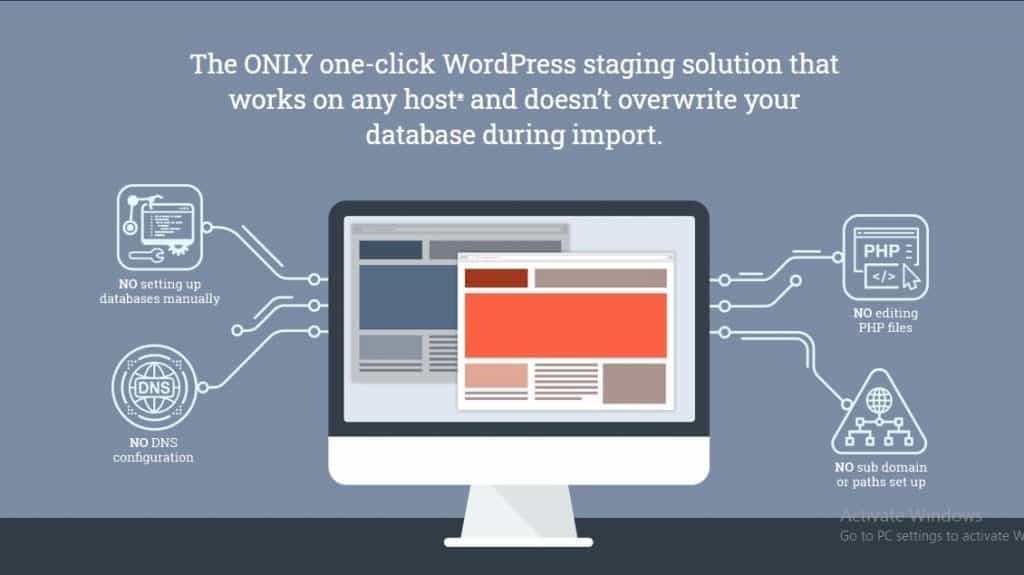
Today, the game has changed. The best hosting for small business and developers now includes 'one-click staging' as a core feature. With the click of a button, the host automatically creates a perfect clone of your site. When you're done testing, another click pushes your changes to the live site. This innovation makes professional-grade workflows accessible to everyone.
Reviewing the Best Hosts for WordPress Staging Environments
Choosing a host with a robust, easy-to-use staging feature is one of the smartest investments you can make in your online infrastructure. Here’s a breakdown of our top picks, catering to different needs and budgets.
1. Kinsta: The Gold Standard for Performance and Usability
Kinsta is a premium managed WordPress host known for its incredible performance and developer-friendly tools. Their staging environment is a masterclass in simplicity and power.

Kinsta

- How it Works: From your Kinsta dashboard, every single WordPress site—live or not—has a 'Staging' tab. Clicking 'Create a Staging Environment' clones your entire site in minutes. You get a separate URL to access and test your staging site.
- Key Feature - Selective Push: This is Kinsta's killer feature. When you're ready to go live, you can choose to push only the files, only the database, or both. This is incredibly useful. For example, if you've only changed a theme's CSS file, you can push just the files, leaving your live database (with new orders or user sign-ups) untouched.
- Who it's for: Developers, agencies, and high-traffic businesses who need rock-solid reliability and a workflow that just works. If you're looking for some of the fastest website hosting on the market, built on the Google Cloud Platform, Kinsta is a top contender.
2. WP Engine: The Enterprise-Grade Workflow
WP Engine is another titan in the managed WordPress hosting space, offering a uniquely structured workflow that appeals to larger teams and complex projects.

WP Engine
- How it Works: WP Engine provides not one, but three environments for every site: Development, Staging, and Production (Live). This allows for a more granular development process. You can build in 'Dev,' get client approval in 'Stage,' and then deploy to 'Prod.'
- Key Features: Their system allows you to easily copy your site between these three environments. They also offer advanced features like Git integration for developers who prefer a command-line workflow. The ability to lock an environment prevents accidental pushes, adding another layer of security.
- Who it's for: Larger businesses, development agencies, and anyone who needs a rigorous, multi-stage testing process. Their infrastructure is built for scalability and security, making them a trusted name for mission-critical websites.
3. SiteGround: Affordable Hosting with Powerful Staging
For years, powerful staging was a feature reserved for expensive premium hosts. SiteGround broke that mold by offering a fantastic staging tool on its more affordable plans (GrowBig and GoGeek).

SiteGround
- How it Works: On eligible plans, the Site Tools dashboard has a 'Staging' section. You can create a copy of your site with one click. After making your changes, you have the option for a 'Full Deploy' or a 'Custom Deploy' to selectively push changes.
- Key Features: The tool is remarkably intuitive and brings a premium feature to a much lower price point. This makes it one of the best value propositions in hosting. While it may not have the multi-environment setup of WP Engine, it provides everything a small business owner or freelancer needs to implement a safe testing workflow.
- Who it's for: Small businesses, bloggers, and freelancers looking for affordable hosting that doesn't compromise on essential professional features. SiteGround offers an excellent balance of price, performance, and tools, making it a fantastic choice for those growing their online presence.
What If My Current Host Doesn't Offer Staging?
If you're on a basic shared hosting plan that lacks a built-in staging feature, you're not completely out of luck. You can use a WordPress plugin like WP Staging or Duplicator to create a staging site within a subfolder of your current hosting account.
However, there are downsides. These plugins use your live server's resources, which can potentially slow down your main site during the cloning process. Furthermore, the process isn't always as seamless or as reliable as a server-level solution provided by a quality host. If you find yourself constantly needing to test changes, this is a strong signal that it's time to upgrade your hosting to a provider that values and supports a professional workflow.
Stop Guessing, Start Staging
Breaking your live site is not a rite of passage; it's an avoidable error. A WordPress staging environment moves your website management from a place of anxiety to a position of control. It empowers you to innovate faster, fix problems efficiently, and ultimately build a more stable and reliable online business.
Whether you opt for the premium power of Kinsta, the structured workflow of WP Engine, or the accessible value of SiteGround, integrating a one-click staging environment into your process is one of the most impactful upgrades you can make for your website's health and your own peace of mind.
RELATED ARTICLES

iPage Hosting Review 2025: Is 'Everything Unlimited' Too Good to Be True?

What is a Webmaster? Definition, Requirements and Skills

On-Page SEO: The Ultimate Guide to Higher Search Rankings

What is a CMS (Content Management System)?

The Future of Web Hosting in 2026 and Beyond

The Ultimate Glossary of Web Hosting Terms

Best Hosting for a Scalable Startup

What to Do When Your Hosting Provider Has an Outage