


Wireframes: A Blueprint for Website Design
Last updated Sunday, 21/07/2024 15:49 by Elena Schmidt
Dive into the world of wireframes and learn how these skeletal outlines act as the foundation for successful website layouts and user experiences.
In the realm of web design, a wireframe is like an architect's blueprint. It's a visual representation, typically devoid of colors, images, or styling, that outlines the structure and key elements of a webpage or app interface. Think of it as the skeleton before the body is added.

Why are Wireframes Important?
- Establish Hierarchy: Wireframes determine the placement of content blocks, navigation, and interactive elements, guiding the user's eye flow.
- Improve Communication: They act as a common visual language between designers, developers, and stakeholders, minimizing misinterpretations.
- Early Usability Testing: Wireframes allow for early testing of user flows and identification of potential usability issues before any heavy design or development work begins.
- Cost-Effectiveness: By ironing out design flaws early on, wireframes prevent costly redesigns and development rework later in the project.
Types of Wireframes
- Low-fidelity Wireframes: Basic sketches or rudimentary digital representations focusing on the core layout and content hierarchy.
- Mid-fidelity Wireframes: More detailed, often created using digital tools, showing a clearer structure and element relationships.
- High-fidelity Wireframes: These closely resemble the final design, incorporating more specific UI elements and interactions.
Key Elements of a Wireframe
- Header: Website logo, navigation menu, and sometimes a search bar.
- Content Area: The main area for text, images, videos, and other content.
- Sidebar: Optional area for secondary information, widgets, or calls to action.
- Footer: Copyright information, contact details, and often sitemaps.
Tools for Wireframing
- Pen and Paper: For quick, low-fidelity ideation.
- Digital Tools: Software like Balsamiq, Sketch, Figma, and Adobe XD offer dedicated wireframing tools and features.
By providing a clear roadmap for website design and development, wireframes are an indispensable tool for creating user-centered and successful online experiences.
Published: 15 July 2024 03:55
RELATED ARTICLES

Stress Testing: Pushing Your Systems to the Limit
A deep dive into stress testing, a crucial performance evaluation method used to determine system resilience by pushing it beyond its normal operating capacity.

GreenGeeks Review 2025: How Good is the 'Green' Hosting Option?
Can your website's hosting actually be *good* for the planet? It sounds too good to be true, but that's the bold claim from GreenGeeks. In a world where every click has a carbon footprint, choosing an eco-friendly host feels like a no-brainer—but only if it doesn't sacrifice the speed, uptime, and support your business depends on. We put their green claims and performance to the test.

Cross-Browser Compatibility: What It Is and Why It Matters
Learn about cross-browser compatibility, its importance in web development, and how to ensure your website looks and works great on all major browsers.

Terminal: Your Gateway to Command-Line Power
Terminal, a powerful command-line interface for interacting with your computer. Discover its uses, basic commands, and advantages.

The Future of Web Hosting in 2026 and Beyond
The digital foundation of your business is shifting faster than a server migration, and the hosting solution that works today might be a critical bottleneck tomorrow. The age of simply choosing a plan based on disk space and bandwidth is over; the future is intelligent, decentralized, and green.

The Ultimate Glossary of Web Hosting Terms
All that talk of Apache, cPanel, and VPS can be overwhelming, leaving you unsure if you've chosen the best hosting for your small business. Don't let technical jargon stand between you and a high-performing website.

Best Hosting for a Scalable Startup
Your startup just went viral, the traffic is pouring in... and your website just crashed. This nightmare scenario is the direct result of choosing the wrong hosting foundation. Don't let your biggest success become your biggest failure because your infrastructure couldn't keep up.
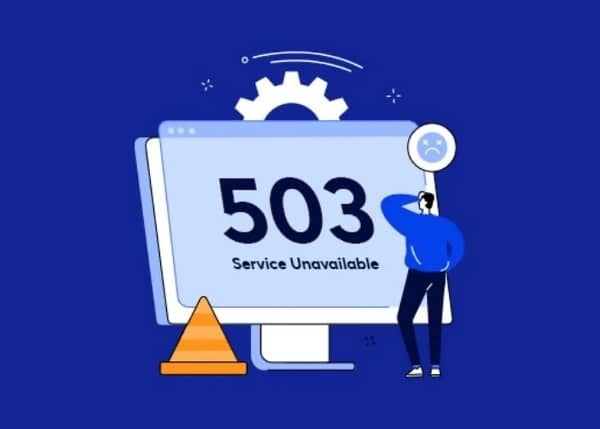
What to Do When Your Hosting Provider Has an Outage
Error 503 Service Unavailable. The words every website owner dreads. Is it a hack? A broken plugin? Or worse, is your hosting provider completely down? That sinking feeling in your stomach is real, but panic is not a strategy. Having a clear, step-by-step plan is the only way to minimize damage and get back online fast.

Top 10 Best Web Hosting Providers for the US Market
Building your own website? Or looking for a new web hosting provider to upgrade your existing website's performance?Look no further! This article will introduce you to the Top 10 best web hosting providers for the US market in 2024, helping you make the most suitable choice for your needs.